
this article contains no affiliate links. All links are plain links, and we earn nothing if you click them. See our affiliate disclosure. How this article was prepared: AI helped gather and draft this research; a person checked the facts against the cited sources.
Quick answer: Starting November 10, 2026, Google is rolling out two Gemini in Gmail features — AI Overview thread summaries and Help me write — to all Google Workspace users aged 18 and older. They are on by default. Users can turn them off, admins can disable Gemini features in Gmail, and the rollout can take up to 15 days to reach everyone.
What’s rolling out
A Google Workspace Updates post dated November 10, 2026 says Google is expanding some Gemini in Gmail features to all Workspace users 18 and older. Until now they were available to consumer accounts and specific Workspace editions only.
The two features:
– AI Overview conversation summaries. At the top of long email threads, a summary that pulls together the key points and replies.
– Help me write (non-personalized). Drafts a full email or refines your text from a short prompt.
Who gets it: all Google Workspace customers, Workspace Individual subscribers, and personal Google account users who are 18 or older and have smart features in Gmail turned on.
When: for both Rapid Release and Scheduled Release domains, a gradual rollout starting November 10, 2026, with up to 15 days for the features to show up.
Google’s post does not mention any extra charge for these features. If you need to be sure for your plan, check your admin console or billing page.
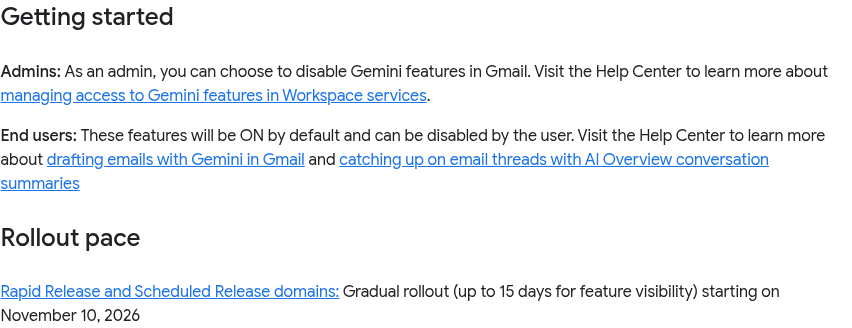

Source: Google Workspace Updates — Expanding Gemini in Gmail to more Google Workspace users, captured Nov 11, 2026, about 07:20 MYT. Credit: Google. Cropped official “Getting started” and “Rollout pace” sections. Not a TechKit graphic.
“On by default” for a small team
These features are on by default for end users. On a small team, your staff may see AI summaries and drafting in Gmail before you’ve decided whether you want them used on client email. If you have rules about what goes into AI tools, now is the time to tell people, or switch the features off centrally.
We’re not summarising Google’s data-use terms here because we haven’t reviewed them for this post. Read Google’s smart features and controls page before deciding.
How to control it
Google’s post describes two levels of control:
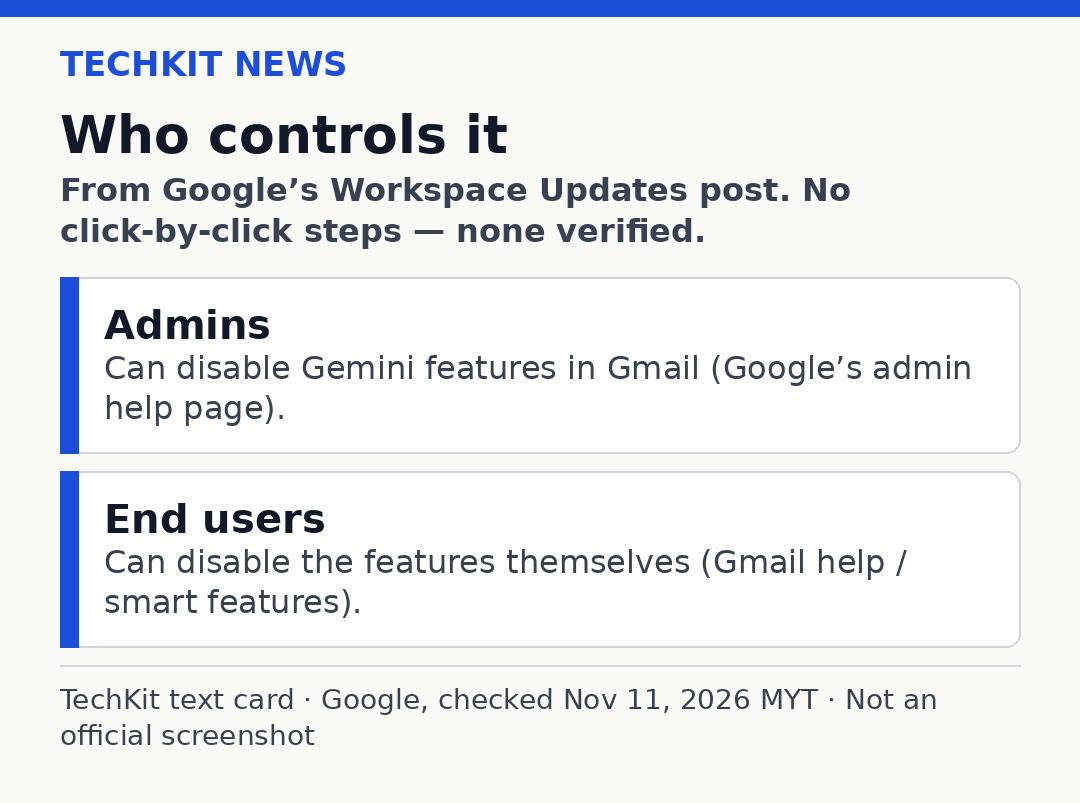
TechKit text card. Based on the Google Workspace Updates post, checked Nov 11, 2026 MYT. Not an official screenshot.
– Admins can disable Gemini features in Gmail. Google points to its admin help page, Manage access to Gemini features in Workspace services.
– End users can disable the features themselves. Google links to its help pages on drafting emails with Gemini in Gmail and on smart features.
We’re not listing click-by-click steps, because the settings screens weren’t part of the announcement. Follow the help pages above for the current steps.
Also on November 10: skills in Workspace
The same day, Google posted that skills in Google Workspace are now rolling out. Google says this follows an earlier announcement and rollout update, so it’s not brand-new. Skills are reusable, custom instructions that guide Gemini to apply your team’s rules, templates and reference files. From the post:
– You create and edit skills in context across Workspace apps — Gmail, Docs, Slides, Drive and Chat — and use them in Workspace Studio too.
– Skills aren’t yet available in Sheets or Meet, and for now only work with English prompts and instructions.
– They are on by default for eligible editions, including Business Starter, Standard and Plus. Admins can disable them.
– Rapid Release domains started on November 9, 2026 and Scheduled Release domains start on November 30, 2026.
Checklist for a 1–20 person team
1. Decide whether staff may use Gemini on client email.
2. If not, disable it in the admin console using Google’s admin help page.
3. If yes, remind people to check every AI draft before sending.
4. Expect the features to appear at different times for different people, within about 15 days.
For Google AI plan changes, see our Google AI Plus and Gemini Pro brief. For long-form content rather than email replies, see our Agility Writer review. That review contains affiliate links.
Quick questions
Is Gemini in Gmail free for Workspace users?
Google’s post doesn’t mention an extra charge for these two features. Confirm it for your own plan.
Is it on by default?
Yes, for end users.
Can admins turn it off?
Yes. Google says admins can disable Gemini features in Gmail.
When will I see it?
The rollout started November 10, 2026 and can take up to 15 days.
What are skills?
Reusable instructions for Gemini in Workspace. They work in English only and aren’t yet available in Sheets or Meet.
Sources
Google Workspace Updates: Expanding Gemini in Gmail to more Google Workspace users (November 10, 2026) — https://workspaceupdates.googleblog.com/2026/11/expanding-gemini-in-gmail-to-more-Google-Workspace-users.html
Google Workspace Updates: Scale customized AI across your team with skills (November 10, 2026) — https://workspaceupdates.googleblog.com/2026/11/skills-in-workspace.html
Google Workspace Admin Help: Manage access to Gemini features (linked from the post; date not shown on the page) — https://support.google.com/a/answer/15698295
Gmail Help: Draft emails with Gemini in Gmail (linked from the post; date not shown on the page) — https://support.google.com/mail/answer/13955415
Google Help: Smart features and controls (linked from the post; date not shown on the page) — https://support.google.com/mail/answer/15604322
Last checked: November 18, 2026, 16:30 MYT.
1 thought on “Gemini in Gmail Now On by Default for Workspace”