
Disclosure: This post contains affiliate links. If you buy through them we may earn a commission at no extra cost to you. See our Affiliate Disclosure.
Based on Submagic’s official pricing page and help center, checked November 15, 2026.
Quick verdict
As of November 15, 2026, Submagic has no free plan. You can try it free on 3 short videos without a credit card, but downloading without a watermark needs a subscription. Paid plans start with Starter at $19/month, or $12/month billed yearly.
Starter fits creators who caption short clips of 2 minutes or less. If your source videos run longer than 2 minutes, or you want to publish to social accounts from Submagic, Pro ($39 a month, or $23 a month billed yearly) is the realistic starting plan.
Submagic pricing at a glance
The pricing page has a Monthly/Yearly switch and opens on Yearly. Prices are in US dollars, charged per member.
On a narrow screen, swipe the table sideways to see every column.
| Plan | Monthly billing | Yearly billing (per month) | Yearly total | Credits per member/month | Max video length | Export | Source |
|---|---|---|---|---|---|---|---|
| Starter | $19 | $12 | $144 | 45 (= 15 videos or 5 Magic Clips) | 2 min | 1080p, 30 FPS | Submagic pricing, checked 2026-11-15 |
| Pro | $39 | $23 | $276 | 120 (= 40 videos or 15 Magic Clips) | 5 min | 1080p, 2K; 30 FPS | Submagic pricing, checked 2026-11-15 |
| Business | $69 | $41 | $492 | 300 (= 100 videos or 37 Magic Clips) | 30 min | Up to 4K, 60 FPS | Submagic pricing, checked 2026-11-15 |
| Custom | Contact sales | Contact sales | — | Custom | Custom | — | Submagic pricing, checked 2026-11-15 |
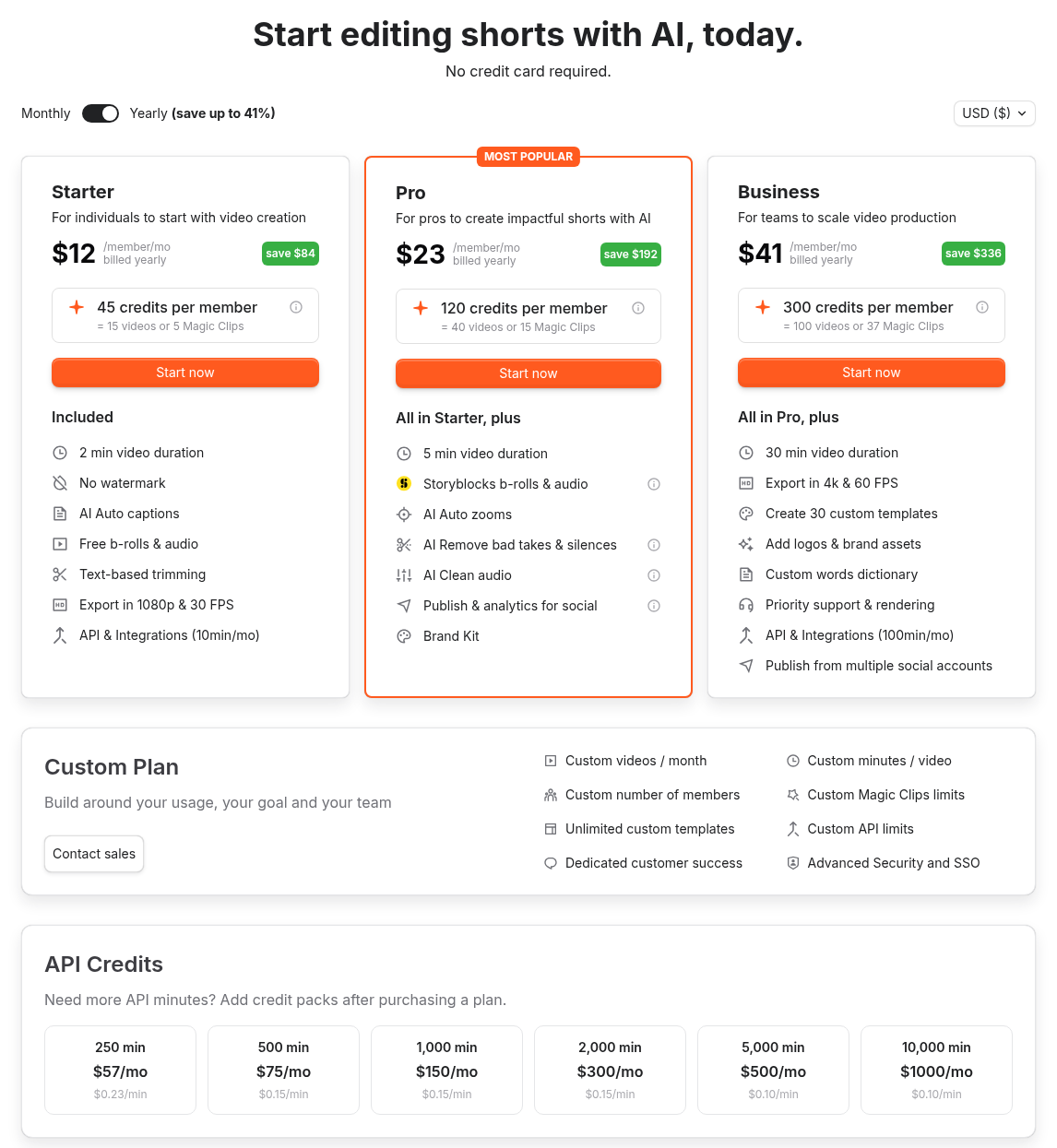
Yearly totals are from Submagic’s help article How Much Does It Cost To Use Submagic. Video length limits are confirmed in the help article What Is The Size And Video Length Limit, which also sets a 3,000 MB maximum file size per video. That article calls the middle plan “Professional”; the pricing page calls it Pro.
Starter, Pro and Business all export with no watermark; the pricing page doesn’t list export details for Custom. The Custom plan lists custom videos per month, minutes per video, members, Magic Clips limits and API limits, plus unlimited custom templates, a dedicated customer success contact, and advanced security with SSO.
How credits work
According to Submagic’s help center, every plan runs on one monthly pool of credits:
- Uploading a video costs 3 credits.
- AI Captions are free.
- Each additional AI feature costs between 1 and 3 credits.
- Magic Clips cost 8 credits each.
That is why the pricing page translates 45 credits into “15 videos”: 15 uploads at 3 credits each. The Magic Clips figures on the pricing page (5, 15 and 37) are an alternative to the video counts, not an extra: you get either the videos or the Magic Clips from the same pool. At 8 credits each, Pro’s 15 Magic Clips use all 120 credits, while Starter (5 clips) and Business (37 clips) leave a few credits over. If you add AI features to each video, you get fewer videos out of the same pool. You can buy extra credits without changing plans.
API minutes
The pricing page lists API & Integrations minutes per plan: 10 minutes a month on Starter and Pro, and 100 minutes a month on Business. Extra API minutes are sold as monthly packs after you buy a plan, from 250 minutes for $57 a month up to 10,000 minutes for $1,000 a month.
Is there a free plan?
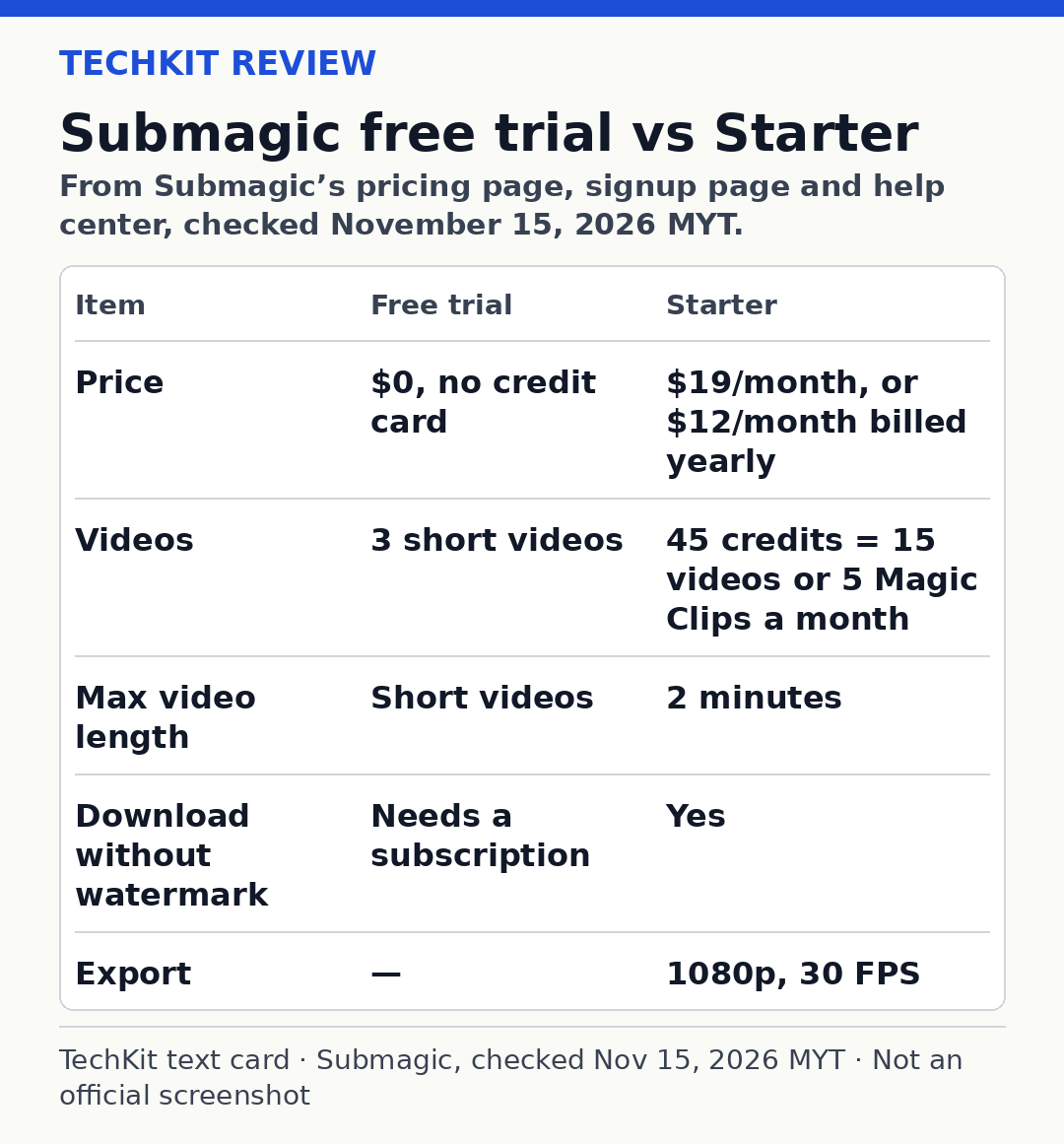
No. The pricing page lists Starter, Pro, Business and Custom, with no free tier. There is a free trial: the signup page reads “Free trial. No credit card required,” and the homepage “Try For Free” button leads to that signup page.
Submagic’s help article Does Submagic have a Free Trial (updated October 28, 2026) says you can upload 3 short videos and edit them the way you want. It adds that with a subscription, you can download your video without a watermark.
What the trial is really for
Three short videos are enough to judge caption accuracy on your voice, whether the caption styles suit your brand, and how fast editing feels. They are not a way to get a finished, clean video for free. Submagic ties watermark-free downloads to a subscription. The first video you actually want to post without a watermark is when you need to pay.
A practical way to use the trial:
- Pick three clips that represent your normal content, including your hardest one (fast speech, accents, background noise).
- Keep each under 2 minutes, so the result reflects what Starter would give you.
- Judge the captions and edits, then decide whether Starter’s limits fit before paying.
Starter vs Pro vs Business: who each fits
Starter: short clips, captions only
Starter covers 2-minute videos, AI auto captions, free b-rolls and audio, text-based trimming, and 1080p exports at 30 FPS with no watermark. It suits creators who already cut their clips elsewhere and mainly want captions on Reels, Shorts and TikToks.
Starter does not include publishing to social media, AI silence and bad-take removal, AI Clean audio, or the Brand Kit.
Pro: the plan for most solo creators
Pro adds 5-minute videos, Storyblocks b-rolls and audio, AI auto zooms, AI removal of bad takes and silences, AI Clean audio, publishing and analytics for social (1 publishing profile per platform), and Brand Kit. The compare table also lists premium caption templates, 2K export and 3 custom templates. Submagic marks Pro “Most popular.”
Business: long videos and teams
Business adds 30-minute videos, exports up to 4K at 60 FPS, 30 custom templates, logos and brand assets, a custom words dictionary, priority support and rendering, 100 API minutes a month, and publishing from multiple social accounts (3 profiles per platform).
Monthly vs yearly
Calculated from list prices on the pricing page:
On a narrow screen, swipe the table sideways to see every column.
| Plan | 12 months on monthly billing | Yearly billing | You save per year |
|---|---|---|---|
| Starter | $228 ($19 × 12) | $144 | $84 |
| Pro | $468 ($39 × 12) | $276 | $192 |
| Business | $828 ($69 × 12) | $492 | $336 |
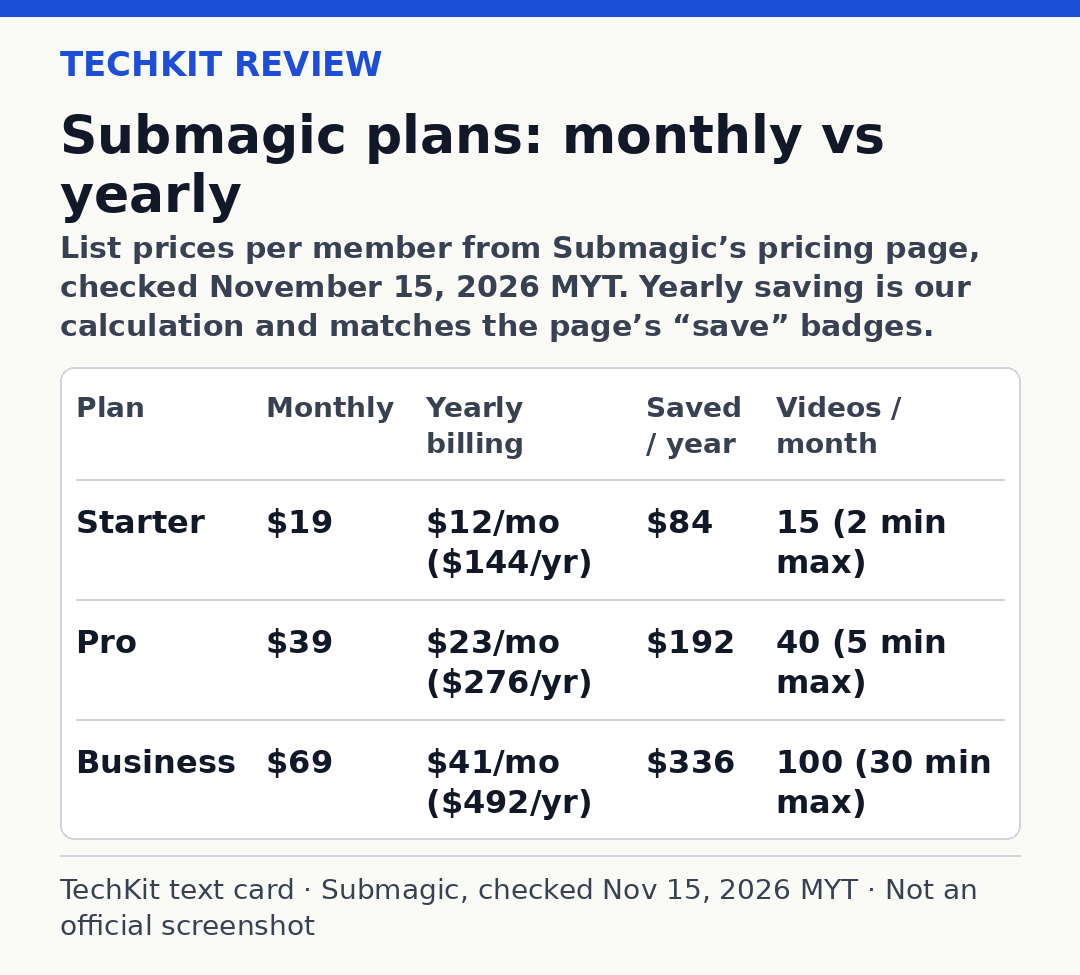
These savings match the “save” badges on the pricing page. Yearly billing saves about 37% on Starter, about 41% on Pro and about 41% on Business, which is where the page’s “save up to 41%” comes from.
Cost per video
Dividing each plan’s price by the number of videos the pricing page says its credits cover (uploads with captions, no extra AI features):
On a narrow screen, swipe the table sideways to see every column.
| Plan | Videos per month | Per video, monthly billing | Per video, yearly billing |
|---|---|---|---|
| Starter | 15 | about $1.27 | $0.80 |
| Pro | 40 | about $0.98 | about $0.58 |
| Business | 100 | $0.69 | $0.41 |
This is our own calculation from list prices, not a Submagic figure. Pro on yearly billing costs less per video than Starter on monthly billing. Starter’s 15 videos at up to 2 minutes each cap you at about 30 minutes of footage a month, while Pro allows 40 videos of up to 5 minutes. If you post more than three or four clips a week, Pro is the better buy, even though its sticker price is higher.
Prices are per member. A three-person team on Pro pays three times the per-member price.
Pros and cons
Pros
- Free trial of 3 short videos with no credit card
- No watermark on Starter, Pro or Business
- AI Captions don’t use credits
- Yearly billing cuts the price by up to 41%
- Clear per-plan video counts on the pricing page
Cons
- No free plan
- Starter limits videos to 2 minutes
- Social publishing starts at Pro
- Per-member pricing adds up for teams
- Extra AI features eat into your video count
Alternatives
- OpusClip free plan: AI clipping with a free tier
- quso.ai free plan: 75 free credits a month for clipping long videos
- Zebracat pricing: AI video creation from text
FAQ
Is Submagic free?
No. Submagic has no free plan; its pricing page lists Starter, Pro, Business and Custom. There is a free trial with no credit card: you can upload 3 short videos and edit them. According to Submagic’s help center, downloading without a watermark requires a subscription, which starts at $19 a month.
What does the Submagic free trial include?
According to Submagic’s help center, the free trial lets you upload 3 short videos and edit them the way you want, without a credit card. Downloading your video without a watermark requires a paid plan. Use the trial to check caption accuracy and editing speed on your own clips before choosing a plan.
How much is Submagic per month?
On monthly billing, Submagic costs $19 per member for Starter, $39 for Pro and $69 for Business, as of November 15, 2026. On yearly billing, the same plans are $12, $23 and $41 per member per month. A Custom plan is available through sales.
Is Submagic cheaper yearly?
Yes. Yearly billing saves up to 41%, according to Submagic’s pricing page. By list price, Starter costs $144 a year instead of $228 on monthly billing, a saving of $84. Pro saves $192 a year and Business saves $336. Yearly billing is paid upfront for the year.
Submagic vs OpusClip: which is cheaper to start?
OpusClip, as of November 15, 2026. OpusClip has a free plan with 60 credits a month and watermarked clips, and its Starter plan costs $15 a month, billed monthly only. Submagic has no free plan; its cheapest plan is $19 a month, or $12 a month billed yearly. On a yearly commitment, Submagic Starter is the lower monthly price.
Final word
Submagic is a paid tool with a short free trial, not a free tool. Use the 3 trial videos to judge the captions on your own footage. Then pick by video length: Starter if your clips stay under 2 minutes and you only need captions, Pro on yearly billing if you post several times a week or want to publish from Submagic.
Start your Submagic free trial
Last updated: November 15, 2026.
Sources
- Submagic pricing page (official): www.submagic.co/pricing, checked November 15, 2026, with both Monthly and Yearly billing
- Submagic help: How Much Does It Cost To Use Submagic (official): care.submagic.co/en/article/how-much-does-it-cost-to-use-submagic-1xm83pa/, updated October 28, 2026, checked November 15, 2026
- Submagic help: What Is The Size And Video Length Limit (official): care.submagic.co/en/article/what-is-the-size-and-video-length-limit-for-each-video-in-submagic-gl84of/, updated October 28, 2026, checked November 15, 2026
- Submagic help: Does Submagic have a Free Trial (official): care.submagic.co/en/article/does-submagic-have-a-free-trial-7opyg3/, updated October 28, 2026, checked November 15, 2026
- Submagic signup page (official): www.submagic.co/signup, checked November 15, 2026
- OpusClip pricing page (official), used only for the FAQ comparison: www.opus.pro/pricing, checked November 15, 2026