

Ad / affiliate disclosure: This article contains OpusClip affiliate links. If you purchase through them, we may earn a commission. Based on OpusClip’s official pricing and feature pages, checked November 13, 2026. See our affiliate disclosure.
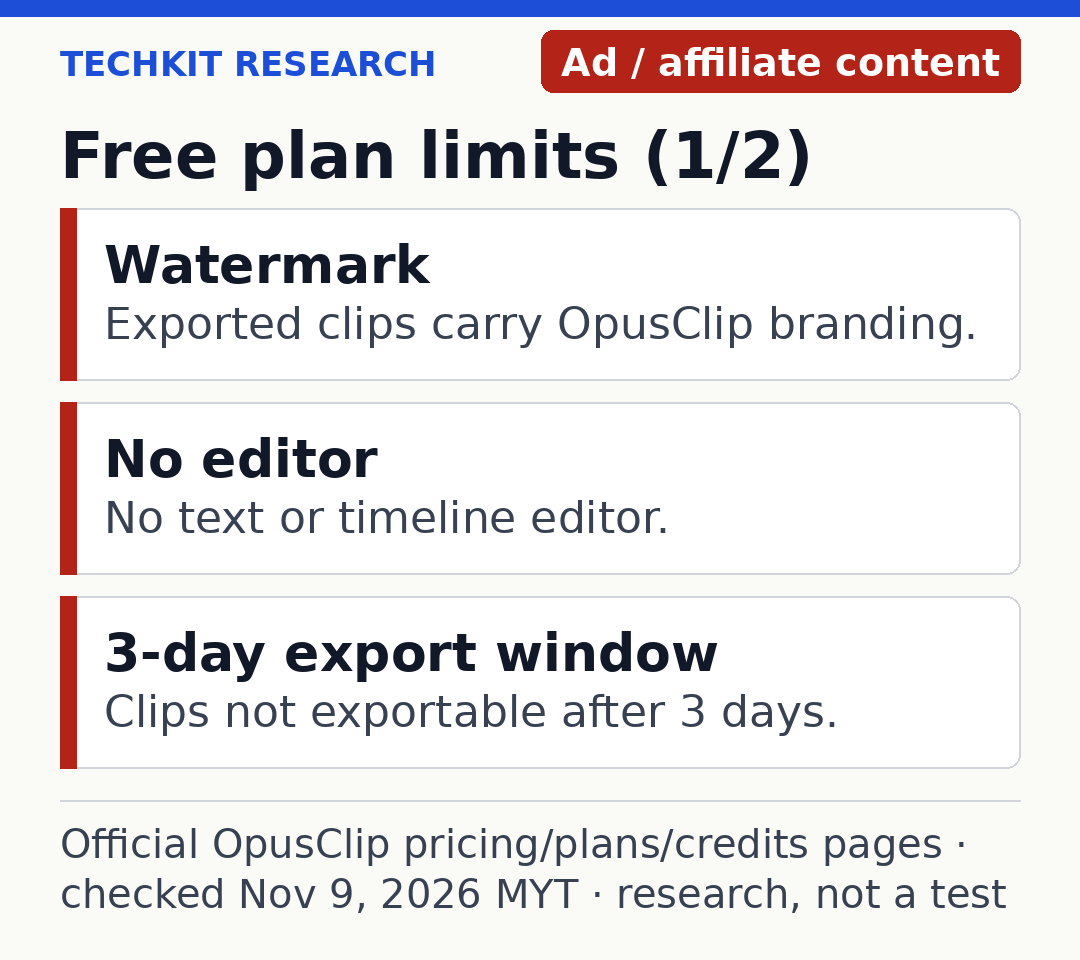
OpusClip has a permanent $0 Free plan with 60 credits each month. Credits measure the source video processed, not the number of clips produced. Free clips have a watermark, cannot be edited in OpusClip’s editor and stop being exportable after three days. Useful for evaluation, but restrictive if you want a repeatable publishing workflow.
Our take from the official pages: the Free plan’s real cost is not the 60 credits — it is the three-day export window and the watermark. Sixty credits covers two 30-minute recordings a month, which is enough to judge the tool, but anything you make stops being exportable after three days, so Free is a try-out, not a publishing workflow.
What you get without paying
The official pricing page calls this tier “Free forever.” It lists AI clipping, automatic reframing and AI captions with emoji and keyword highlighting, with rendered output up to 1080p. You get one brand template.
The comparison table lists vertical 9:16 output on Free. It does not give you the additional square and landscape formats available on Pro. That may be enough for vertical Shorts or Reels. If a campaign needs several formats, check this limitation before processing a recording.
Free processing is listed at regular speed. We have not timed a job or checked caption accuracy, speaker framing or clip selection. These are included capabilities, not a promise that the generated clips will be ready to publish.
A source-import detail the official pages disagree on
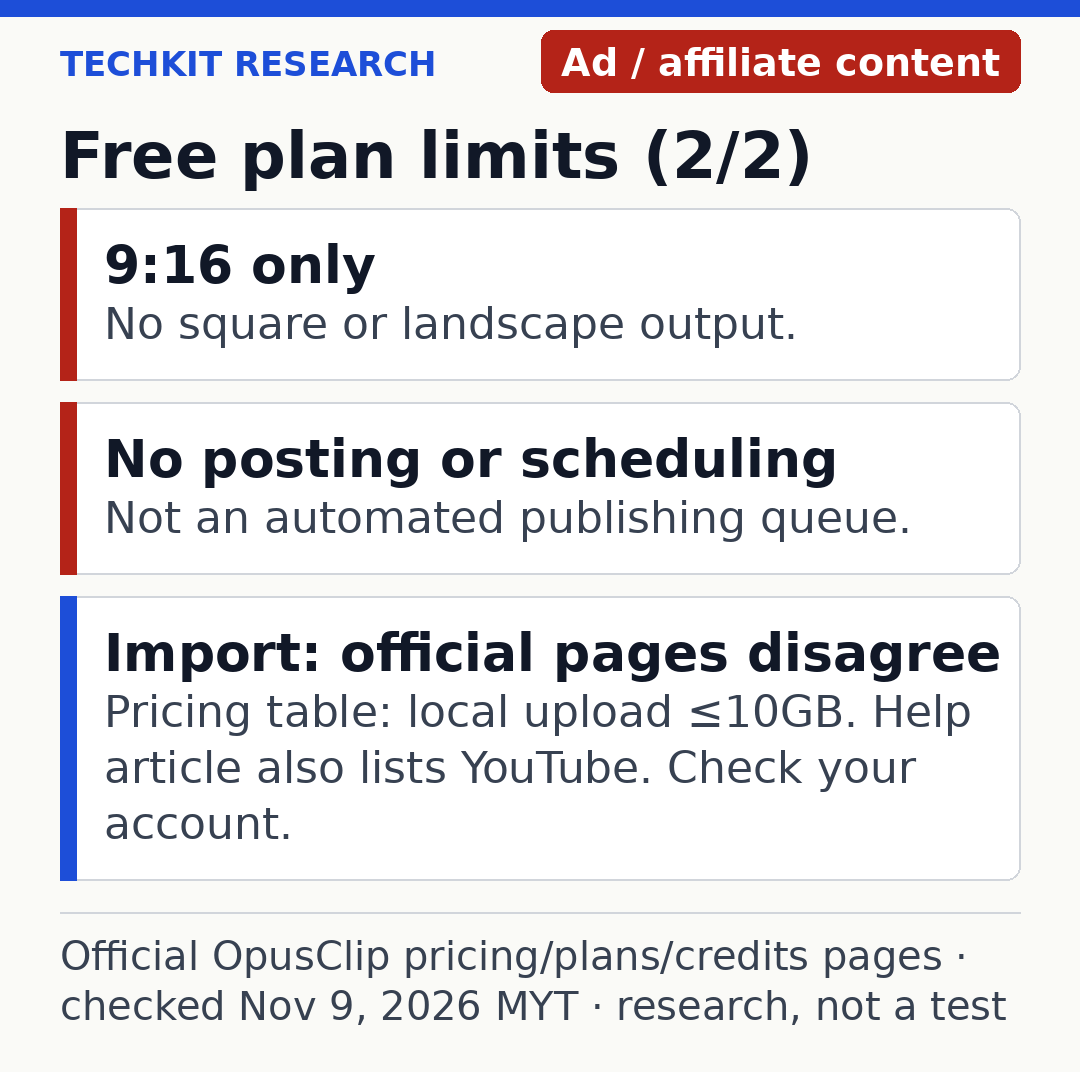
The current pricing comparison lists local video imports up to 10GB on Free. The plans help article also lists YouTube imports for the Free tier.
Those official pages differ, so we wouldn’t choose Free assuming it includes pasting a YouTube link. Check the import options actually offered in your account. Local upload is the conservative route supported by the current pricing table. We won’t guess away the discrepancy.
The limits that matter after your first upload
| Free-plan limit | Why it matters |
|---|---|
| Watermark on exported clips | The exported video carries OpusClip branding |
| No text or timeline editor | You cannot use the paid editor to fix a generated clip |
| Three-day export window | Download promptly; the project is not a long-term archive |
| 9:16 output only | Other campaign formats need a different workflow or plan |
| No virality score or reprompt | Those paid features are not included in the Free comparison |
| No social posting or scheduler | Free is not an automated publishing queue |
The editor restriction matters. A generated excerpt can contain an awkward cut or a caption you want to change; access to generation is not the same as access to the editor. We have not tested whether a specific recording would need corrections, so there is no quality score here.
The three-day limit matters too. The pricing page says clips are no longer exportable after three days, and its storage comparison also lists three days for Free media. Save any usable output and keep your original recording separately. Do not rely on an old Free project being available when a client asks for changes next week.
How far do 60 credits go?
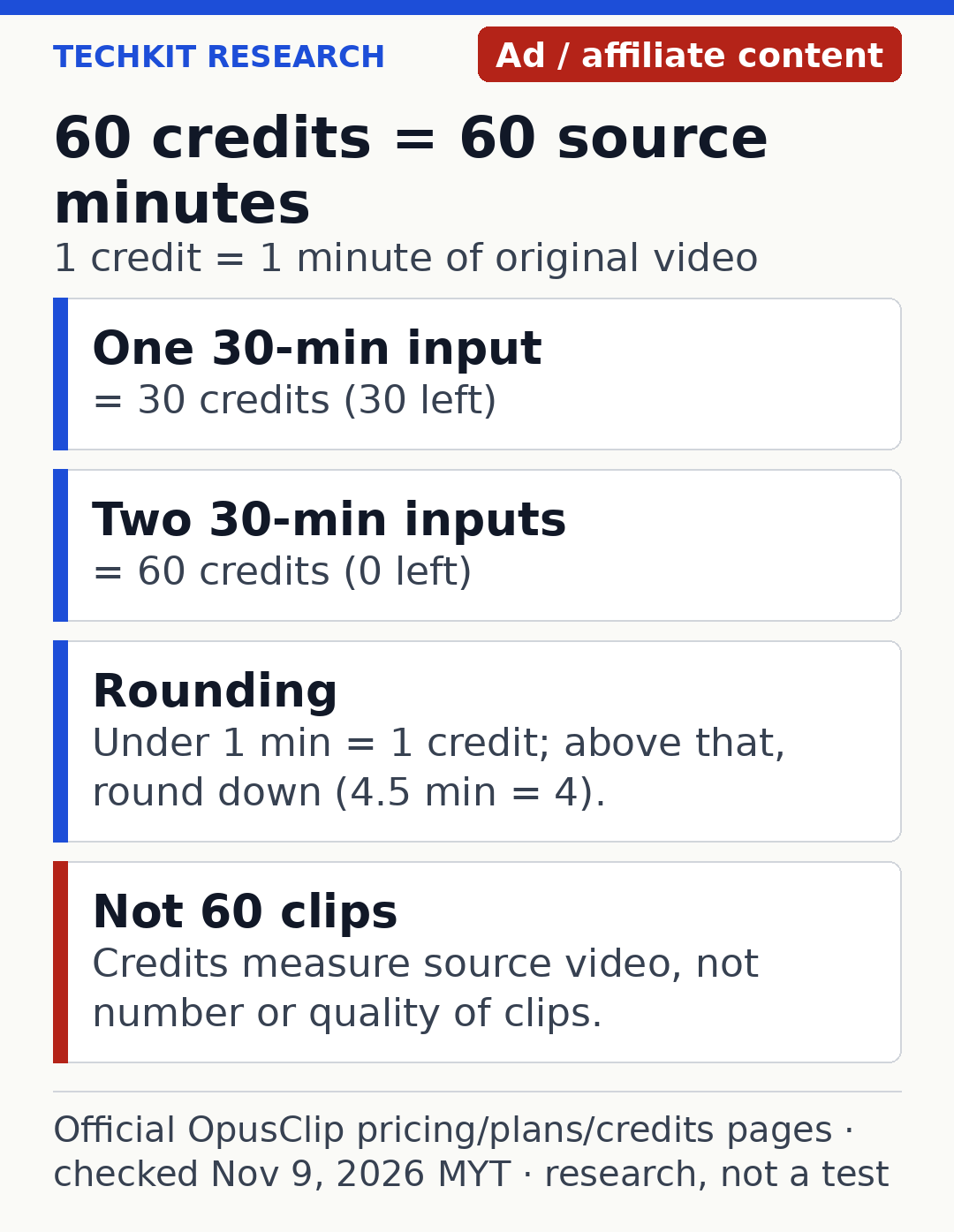
The credits documentation says one credit covers one minute of original video processed. A thirty-minute input therefore uses thirty credits, regardless of whether the system returns a few clips or many.
Budget examples calculated from that rule, not results from our testing:
On a narrow screen, swipe the table sideways to see every column.
| Source material processed | Credits consumed | Remaining from 60 |
|---|---|---|
| One 15-minute recording | 15 | 45 |
| One 45-minute webinar | 45 | 15 |
| Two 30-minute episodes | 60 | 0 |
The documentation uses whole minutes: an input under one minute rounds up to one credit, while fractional minutes above that round down. Its example is 4.5 minutes consuming four credits. Sixty credits does not mean sixty finished clips, and it does not guarantee a particular amount of usable output.
OpusClip also documents a processing-timeframe slider. Selecting only the relevant portion reduces the source duration processed. If only a fifteen-minute interview segment is useful, you do not necessarily need to spend credits on the full recording. Verify the selected range before starting the job.
One more credit use the docs list: posting to X costs 3 credits per clip per X account, so one clip posted to two X accounts uses 6 credits. A failed or deleted scheduled X post gets its credits refunded automatically.
Free, Starter and Pro: what changes when you pay?
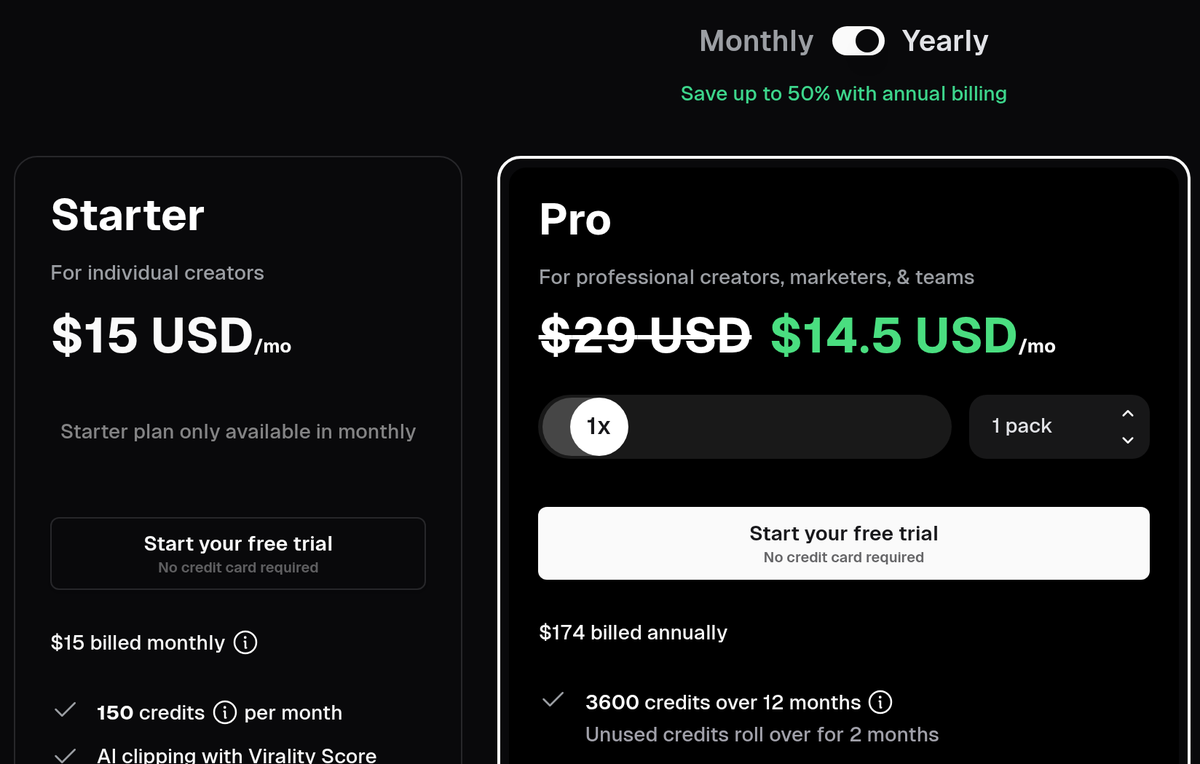
Prices below are the official US-dollar prices checked on November 13, 2026. They are not Malaysian checkout quotes or tax-inclusive conversions. On the official pricing page (and on this article’s own screenshots) Starter is $15 a month, and Pro is $14.50 a month billed yearly at $174 a year (list $29).
On a narrow screen, swipe the table sideways to see every column.
| Plan | Listed price | Credits | Main difference from Free |
|---|---|---|---|
| Free | $0 | 60 per month | Watermarked, no editor, three-day export |
| Starter | $15 monthly; monthly billing only | 150 per month | No watermark, editor and social posting |
| Pro monthly | $29 monthly for one pack | 300 per month | Extra formats, scheduling and team features |
| Pro yearly | $174 billed yearly; $14.50 monthly equivalent (list $29) | 3,600 over 12 months | Annual commitment; Pro features |
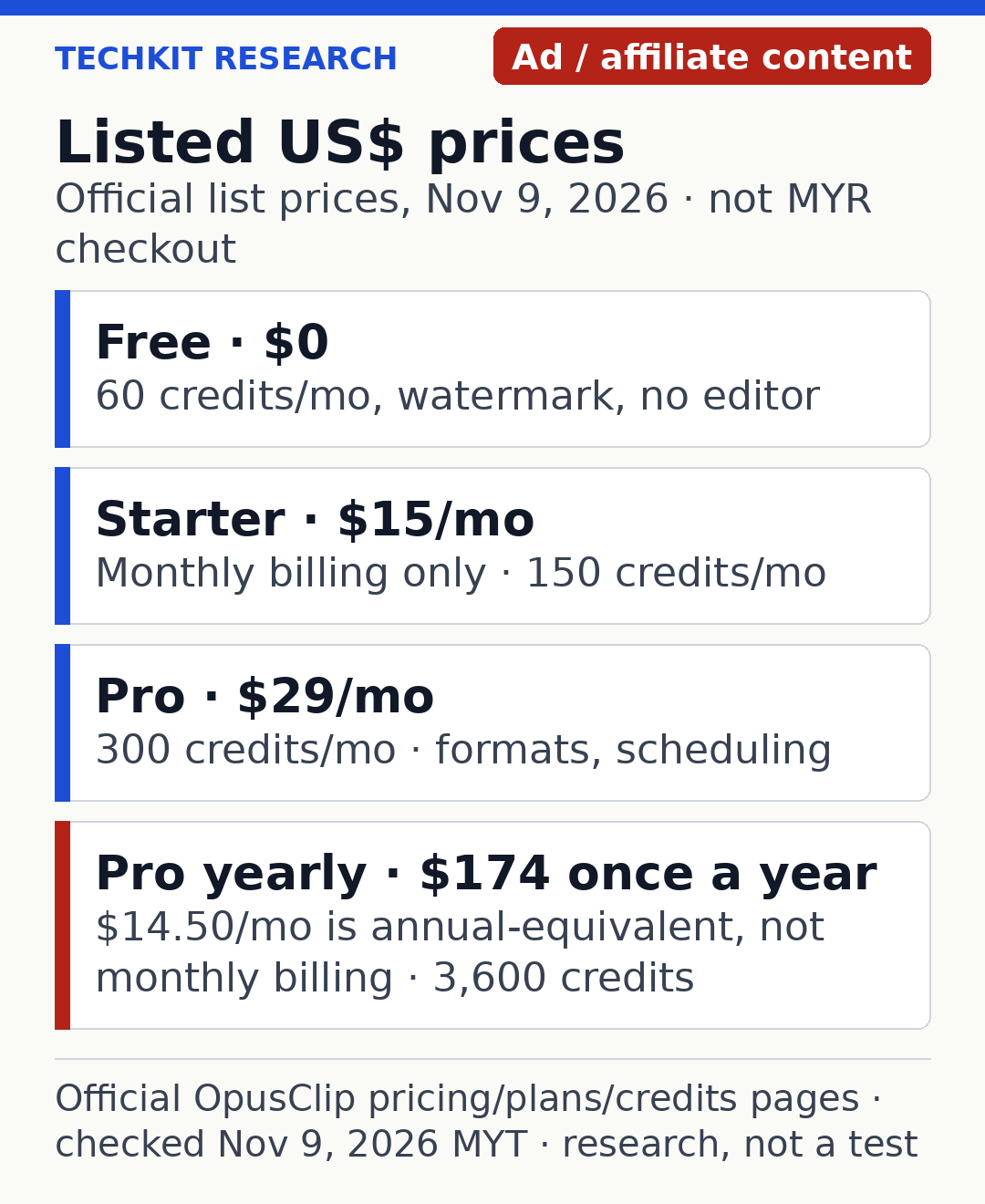
The $14.50 figure is not a month-to-month purchase option. The annual plan charges $174 for the year. Starter is explicitly listed as monthly only.
Starter adds a virality score, editing and posting to supported social accounts. Pro adds features including 9:16, 1:1 and 16:9 formats, scheduling, Premiere Pro and DaVinci export, and a team workspace. The plans documentation says Pro provides two seats per pack, up to four. More features are not automatically useful if the basic clip selection does not suit your material.
You can check OpusClip’s current plans through our affiliate link. Test the Free output on a representative recording before choosing a paid allowance.
Credit expiry is not the same as file expiry
There are two clocks: credits limit how much video you can process; export and media limits determine how long an existing project’s output stays available.
The credits help article says monthly-plan credits expire after sixty days and yearly credits last twelve months. It also says annual credits arrive upfront. The pricing cards say unused Pro credits roll over for 1 month on monthly billing and 2 months on annual billing. We have not verified a specific rollover rule for the permanent Free allocation, so do not assume an unused Free month adds to the next one.
For paid-plan arithmetic, $174 divided by 3,600 annual credits is approximately $0.048 per credit. Starter’s $15 divided by 150 is $0.10. Those are calculated allowance costs, not an estimate of cost per usable clip. An annual discount can still cost more overall if you do not need the allowance.
Who should stay free, and who should upgrade?
Stay on Free if you are evaluating the workflow, can accept the watermark and can download promptly. One or two short recordings can tell you more about whether the tool fits your content than a large allowance you have not used.
Consider Starter when the practical obstacle is the watermark, editing or posting, and 150 monthly credits match your input duration. Two thirty-minute recordings don’t require more capacity: they fit the Free allowance. Pay for features you need, not just because you upload twice a month.
Consider Pro when you specifically need scheduling, multiple formats, professional-editor exports or its team arrangement. Estimate your source minutes first and compare monthly flexibility with the upfront annual bill.
Do not upgrade because a marketing calculator forecasts extra views or revenue. We have not tested audience results, time savings or the accuracy of its clip scoring.
Official ways to stretch the allowance
Use the timeframe selection to avoid processing irrelevant sections. Review whether you want highlights from the entire recording or only one segment before spending credits.
The pricing page advertises a free trial of paid plans with no credit card required. We did not verify its length, included credits or watermark conditions, so this article does not promise a particular trial period. Read the offer shown during signup.
If you are already paying and want to switch back, the plans article sets an unusual condition: downgrade to Free is available only with fewer than thirty minutes of credits remaining. It says paid features are lost on switching. Don’t assume you can move plans freely and keep every paid benefit. Review the current account options before changing anything.
What if you need to create a video from text?
OpusClip’s job here is repurposing existing footage. If you do not have a recording and instead want narration or a video built from a script, our Fliki review covers a different workflow. It is not a like-for-like clipping replacement. That review also contains affiliate links.
Related on TechKit: Metricool Free Plan: 20 posts, no LinkedIn · Gemini Omni 1.2 Flash video price cut
Frequently asked questions
Is OpusClip genuinely free?
Yes. Its permanent Free plan is listed at $0 with sixty credits a month. It has substantial feature and export limits, separate from trials of paid tiers.
Can I remove the watermark on Free?
The current plan table reserves watermark-free export for paid plans. We are not suggesting any watermark-removal workaround.
Can Free publish directly to TikTok or YouTube?
The pricing comparison does not include social posting or scheduling on Free. Downloading a clip and uploading it yourself is a separate manual workflow.
Does paying for more credits mean more usable clips?
It increases the source material you can process, not a guaranteed output count or quality level.
How long can I export Free clips?
Three days, according to the pricing page. Keep the original and save wanted output promptly.
Is Agent Opus included in this comparison?
No. This article covers OpusClip’s Free, Starter and Pro plans, not the separate Agent Opus product.
Prices and limits checked November 13, 2026, MYT, against OpusClip’s official pricing, plans and credits documentation. Features and offers can change; confirm the current checkout terms before paying.
Sources
- OpusClip pricing page: https://www.opus.pro/pricing (checked Nov 13, 2026)
- OpusClip plans help article: https://help.opus.pro/docs/article/plans-and-credits (updated 2026-11-12, checked Nov 13, 2026)
- OpusClip credits documentation: https://help.opus.pro/docs/article/how-are-credits-consumed (updated 2026-11-12, checked Nov 13, 2026)
4 thoughts on “OpusClip Free Plan: 60 Credits, Watermark and Limits”