
How we know this: we checked Podia’s, Systeme.io’s and Thinkific’s official pricing pages on November 13, 2026. No hands-on test was done; this review is based on the official pages only.
TL;DR
No, Podia does not have a free plan in 2026. Its pricing page offers a 14-day free trial with no credit card. After that, the cheapest plan, Mover, costs $42/month billed yearly ($504 a year) and Podia takes a 5% transaction fee on that plan.
If you want to start selling a course for $0, the closest option we found is Systeme.io’s free plan, which never expires and needs no card.
Start Systeme.io free (no card) →
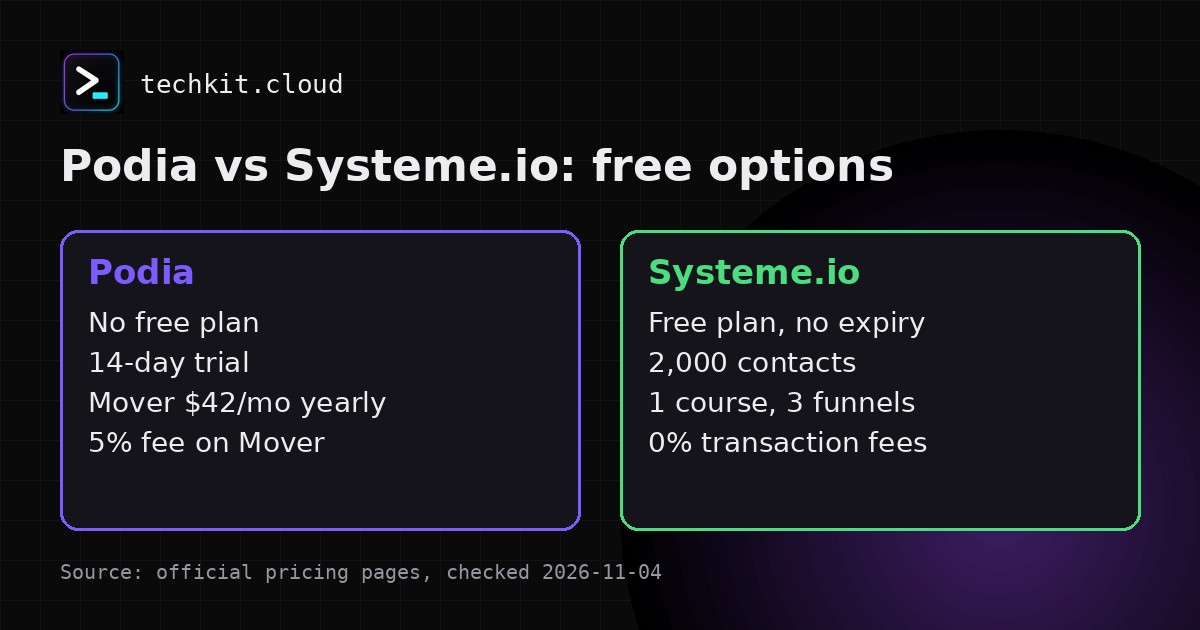
| Podia | Systeme.io | Thinkific | |
|---|---|---|---|
| Free plan | No (14-day trial) | Yes, never expires | No (30-day trial) |
| Cheapest paid plan | Mover $42/mo billed yearly | Startup $17/mo | Start $82/mo billed yearly ($109 monthly) |
| Platform transaction fee | 5% on Mover | 0% on all plans | See Thinkific pricing |
Does Podia have a free plan?
No. Podia’s pricing page invites you to “try everything free for 14 days” and lists three paid plans. There is no plan priced at $0.
You may still find older articles that talk about a “Podia free plan”. Those are out of date compared with the current pricing page, so check the official page before you plan around one.
What the 14-day trial includes
Podia’s pricing page invites you to “try everything free for 14 days”. You don’t need to enter a credit card, and you don’t need to pick a plan to start. You get access to everything during the trial.
So the trial is good for testing the editor and checkout, but plan your launch knowing you’ll need a paid plan after day 14.
Podia pricing after the trial (2026)
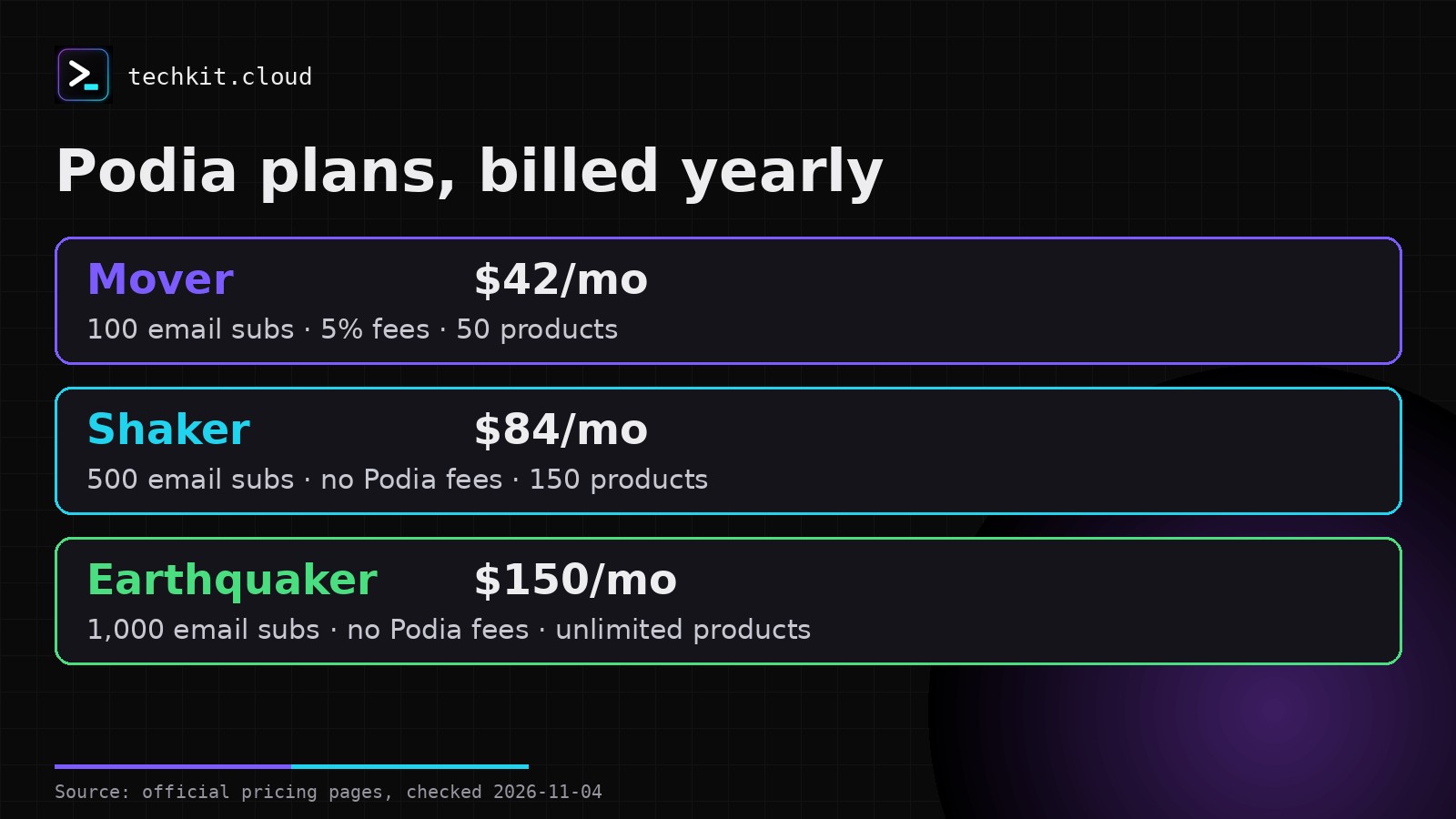
Mover, Shaker and Earthquaker
Both monthly and yearly billing prices are shown on the pricing page.
- Mover: $42/month billed yearly ($504/year), or $49/month billed monthly. Up to 100 email subscribers, 50 products, 500 videos, 25 spaces, 5% transaction fees.
- Shaker: $84/month billed yearly ($1,008/year), or $99/month billed monthly. Up to 500 email subscribers, 150 products, 1,000 videos, 100 spaces, no Podia transaction fees. Adds affiliate marketing, upsells, PayPal and Zapier.
- Earthquaker: $150/month billed yearly ($1,800/year), or $179/month billed monthly. Up to 1,000 email subscribers, unlimited products, videos and spaces, no Podia transaction fees.
What every plan includes
Podia’s pricing page has an “Everyone gets:” list that applies to every plan: community, online courses, digital downloads, coaching, events (live and in-person), a website and blog, a custom domain, landing pages, 1,900+ embeds, Podia AI tools, sales tax handling in 230 countries, 20+ currencies, built-in checkout, migration help, and email and chat support.
Transaction fees
Podia charges 5% on Mover sales and nothing on Shaker or Earthquaker. Separately, Stripe and PayPal charge 2.9% + 30¢ per payment (may vary by location).
Email subscriber caps are 100 on Mover, 500 on Shaker and 1,000 on Earthquaker. Podia’s FAQ says Podia Email needs a paid plan once the trial ends.
Refunds
Once you pay, refunds are available within 72 hours of your most recent payment. There are no partial refunds on annual plans.
Free alternative: Systeme.io
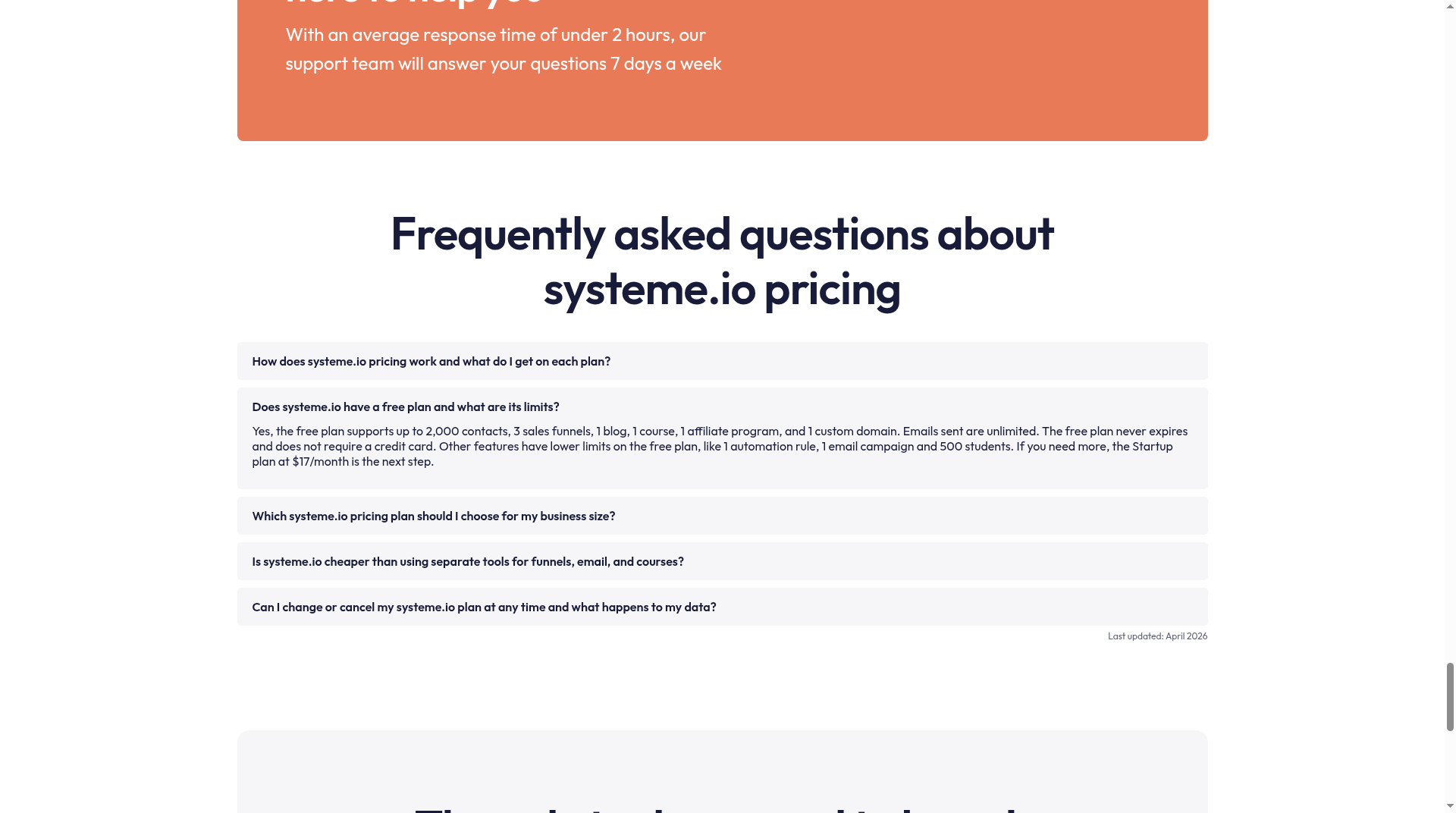
If your goal is “start at $0 and pay later”, Systeme.io is the one platform here with a real free plan. Its pricing page lists these limits for Free:
- 2,000 contacts and unlimited emails
- 1 course with up to 500 students
- 3 sales funnels, 1 blog, 1 affiliate program, 1 custom domain
- Never expires, no credit card
The catch: the free plan allows only 1 automation rule and 1 email campaign. When you outgrow it, Startup is $17/month, and Systeme.io charges 0% transaction fees on every plan.
New to it? Our step-by-step Systeme.io setup walks through the free plan.
Create a free Systeme.io account →
Podia vs Systeme.io vs Thinkific: which to pick
Pick Podia if you want a polished all-in-one creator store with community and coaching built in, and you’re fine paying from $42/month billed yearly. Choose Shaker if you want to avoid the 5% fee.
Pick Systeme.io if you want to launch your first course for $0, or you also need sales funnels and email in one place. If you mainly need email, see Systeme.io vs MailerLite. For funnel builders, see our page comparing funnel builders.
Pick Thinkific if courses are your main product and you want a 30-day trial. Thinkific has no free plan either, and Start is $82/month billed yearly.
Research-only verdict: Mover’s $42 a month is not the whole cost once you sell. The 5% fee adds $50 on $1,000 of monthly sales. Paying monthly instead of yearly costs $49 a month against $42, or $84 more over a year.
FAQ
Is Podia free?
No. Podia offers a 14-day free trial, then paid plans from $42/month billed yearly.
Is Podia’s trial the same as a free plan?
No. The trial ends after 14 days and you need a paid plan to keep selling. A free plan, like Systeme.io’s, has no end date.
Does Podia take a cut of sales?
Yes on Mover (5%). Shaker and Earthquaker have no Podia fees. Stripe and PayPal charge 2.9% + 30¢ per payment on top, which may vary by location.
What’s the cheapest way to sell a course?
Of the three platforms here, Systeme.io’s free plan is the only $0 option, with 1 course and up to 500 students.
Sources
- Podia pricing (official) — podia.com/pricing — checked November 13, 2026 (date not shown on the page)
- Systeme.io pricing (official) — systeme.io/pricing — checked November 13, 2026; page shows “Last updated: April 2026”
- Thinkific pricing (official) — thinkific.com/pricing — checked November 13, 2026 (date not shown on the page)
5 thoughts on “Podia Free Plan? No, Only a 14-Day Trial (2026)”